Vivado Usage Notes
References
This document assumes a basic understanding of the Linux command line (or “shell”) environment. A working knowledge of OpenCPI is required for understanding what vendor tools are necessary to perform various OpenCPI operations. The references below can be used as an overview of OpenCPI and may prove useful.
This document explains usage of Xilinx Vivado in the context of OpenCPI. For further information regarding Xilinx Vivado, consult Xilinx’s documentation (e.g. UG835).
Migrating an OpenCPI Platform from ISE to Vivado
Note: This section explains how to migrate an OpenCPI Platform already created in a previous version of OpenCPI to use Vivado. Documentation for defining a new platform can be found in the OpenCPI HDL Development Guide.
Modify hdl/platforms/<platform>/<platform>.mk to use a target part that maps to Vivado (e.g. HdlPart_matchstiq_z1=xc7z020-1-clg484).
Port the platform’s UCF file to an XDC file. Reference Xilinx’s document Vivado Migration for assistance.
Port the UT file to an XDC file ending in “*_bit.xdc”. Reference Xilinx’s document Vivado Migration for assistance.
Modify <platform>/Makefile to export both the XDC files (”*.xdc” and “*_bit.xdc”) instead of the UCF and UT files, via ExportFiles=.
Build for the platform using the platform name (HdlPlatform=<platform>) or the target-part (HdlTarget=zynq).
Reverting an OpenCPI Platform from Vivado to ISE
This process is described in assets/hdl/platforms/matchstiq_z1/ise_constraints/README for the “matchstiq_z1” platform. To summarize more generically:
Modify hdl/platforms/<platform>/<platform>.mk to use the “ise alias” of the target part (e.g. HdlPart_matchstiq_z1=xc7z020_ise_alias-1-clg484).
Port the platform’s XDC file (”*.xdc”) to a UCF file. Reference Xilinx’s document Vivado Migration for assistance.
Port the platform’s XDC configuration file (”*_bit.xdc”) to a UT file. Reference Xilinx’s document Vivado Migration for assistance.
Modify <platform>/Makefile to export the UCF and UT files instead of the XDC files via ExportFiles=.
Build for the platform using the platform name (HdlPlatform=<platform>) or the target-part’s “ise alias” (HdlTarget=zynq_ise).
Vivado Constraints Files
By default, all constraints files in a platform’s directory with the extension “.xdc” are applied during the opt_design stage (the first post-synthesis implementation stage), except for files ending with “_bit.xdc”. Files ending with “_bit.xdc” are applied later during bitstream generation (write_bitstream).
Options such as pin assignments, clock constraints, I/O standards, etc. can be placed in an “.xdc” file that does not end in “_bit.xdc”. For example: set_property PACKAGE_PIN V9 [get_ports lime_spi_sdo];
Constraints relating to project/chip/board configuration as well as bitstream settings can be placed in the “_bit.xdc” file. This file is the equivalent of Xilinx ISE’s “.ut” file. For example: set_property BITSTREAM.CONFIG.TCKPIN PullUp [current_design];
Using PreBuilt Cores/Netlists with Vivado and OpenCPI
While Vivado generates netlists in the EDIF or DCP format, it can also read netlists in NGC format. So, NGC cores prebuilt with ISE (e.g. the ddc_4243_4ch_v5 primitive or the complex_mixer’s debug cores) can be used in the same way a Vivado EDIF is used.
When including a core using Cores= (as seen with the complex_mixer) worker, the core can be either an EDIF, NGC, or DCP file for usage with Vivado. For NGC and EDIF netlists, you will also need to include a VHDL stub file. DCP files, on the other hand, contain both a netlist and a stub, and you therefore do not need to explicitly include a stub file (via SourceFiles=).
To include cores at the worker level, you can set the Cores make variable as follows: Cores=”netlist1.ngc mynetlist2.edf mynetlist3.dcp”
As noted above, for NGC and EDIF netlists, you will also need to include a VHDL stub file: SourceFiles=”netlist1_stub.vhd mynetlist2_stub.vhd”
Another option for including prebuilt cores with OpenCPI is to create an OpenCPI primitive core. In the primitive core’s makefile, you would set “PreBuiltCore=mynetlist2.edf”. You would then create a VHDL package file. This would comprise a VHDL package containing the core’s component declaration. You would then be able to include this core for any worker using “Cores=<core-name>”.
Simulating Vivado IP or PreBuilt Cores with XSIM in OpenCPI
You may be able to build for XSIM with OpenCPI by including the stub VHDL file mentioned in Using PreBuilt Cores/Netlists with Vivado and OpenCPI, but omitting the netlist. If this does not work, you will have to generate a simulation netlist.
A simulation netlist can be generated by opening up the post-synthesis IP or core and running the following TCL command:
write_vhdl <ip_name>_sim.vhd
Now include that as a source file in your worker Makefile: SourceFiles=<ip_name>_sim.vhd
The corresponding synthesis stub and netlist files (if present) will need to be removed from the SourceFiles and Cores variables in the Makefile before building for XSIM.
Using Vivado IP with OpenCPI
To use Vivado’s IP within OpenCPI, you can follow these steps:
Create a new Vivado RTL project with no sources
Window\(\rightarrow\)IP Catalog
Choose IP, Customize IP
Generate IP output products in Global mode (stubs, test bench, xci)
Run synthesis and Open Synthesized Design
Generate the necessary netlist/source files:
Generate the EDIF netlist and VHDL stub:
-  write_edif -security_mode all <ip_name>.edf

-  write_vhdl -mode synth_stub <ip_name>.vhd
Or, generate the DCP (checkpoint file):
write_checkpoint <ip_name>.dcpNote: Reference Using PreBuilt Cores/Netlists with Vivado and OpenCPI for more information on using Vivado pre-built cores with OpenCPI
Generate a simulation netlist for use with XSIM:
write_vhdl <ip_name>_sim.vhdNote: For more information on simulating Vivado IP with OpenCPI, reference Simulating Vivado IP or PreBuilt Cores with XSIM in OpenCPI.
Reference the Instantiation Template (*.vho) file when instantiating the module in your design.
Makefile options for Vivado/XSIM compilation
Incremental Compilation - Place/Route
Setting “VivadoIncrementalCompilation=true” (false by default) enables Vivado’s incremental compilation for place and route. This applies during Container compilation only. If enabled, Vivado will attempt to reuse the results of previous place/route runs for this Container. This is very useful when making small source changes (or changes to comments) and then rebuilding.
Synthesis Options : Applies to primitives, workers, platforms, configs, assemblies, containers
To set options for the synthesis stage of compilation: VivadoExtraOptions_synth="-<myoption1> -<myoption2>" Only use the quotes at the command line. If setting this variable inside a Makefile, omit the quotes. If you are setting this variable in an assembly Makefile and wish to apply it during container synthesis (as opposed to assembly synthesis), you must prepend the command with ‘export’. For example: export VivadoExtraOptions_synth=-directive runtimeoptimized
Enabling Optimization Stages
Setting “VivadoPowerOpt=true” enables Vivado’s power_opt_design stage. This is run directly after opt_design during container implementation.
Vivado’s optional phys_opt_design stage of implementation can be run after place_design or after route_design. In each case, different optimizations are performed. The following options can be used to enable the phys_opt_design stage in one or both of the positions:
“VivadoPostPlaceOpt=true” enables Vivado’s phys_opt_design stage after place_design
“VivadoPostRouteOpt=true” enables Vivado’s phys_opt_design stage after route_design
Implementation Options : Applies to Containers
To set options for a specific implementation stage of compilation: VivadoExtraOptions\_<stage>="-<myoption1> -<myoption2>"
Note: If setting these variables inside an assembly Makefile, you must prepend the command with ‘export’ and omit the quotes.
Here, stage can be: opt, place, post_place_phys_opt, route, post_route_phys_opt, timing, bit.
XSIM Options : Applies to primitives, workers, platforms, configs, assemblies, containers
To set options for the XSIM xvhdl and xvlog commands:
XsimExtraArgs=" -<myoption1> -<myoption2> "
To set options for the XSIM elaboration stage (xelab):
XsimXelabExtraArgs=" -<myoption1> -<myoption2> "
Note: Only use the quotes at the command line. If setting these variables inside a Makefile, omit the quotes.
Global Tcl Initialization Scripts
As explained in Xilinx’s UG835, you can place a Tcl script at $HOME/.Xilinx/Vivado/init.tcl to be executed every time Vivado is launched. This is not recommended since it cannot be easily source-controlled with the rest of your project.
Opening up designs in the GUI
Prior to running any vivado/xsim commands, you must source <path-to-vivado>/settings64.sh. Because these settings interfere with OpenCPI’s environment, you should always do this in a separate terminal.
EDIF Netlist
To open up an EDIF (or NGC) netlist in Vivado, navigate to the directory containing the netlist and run: vivado Once the GUI opens up, run the following Tcl commands: read_edif <netlist-filename>; link_design; You can then navigate to the “Netlist” tab, right click the file, and choose “Schematic” as shown in Figure 109:.
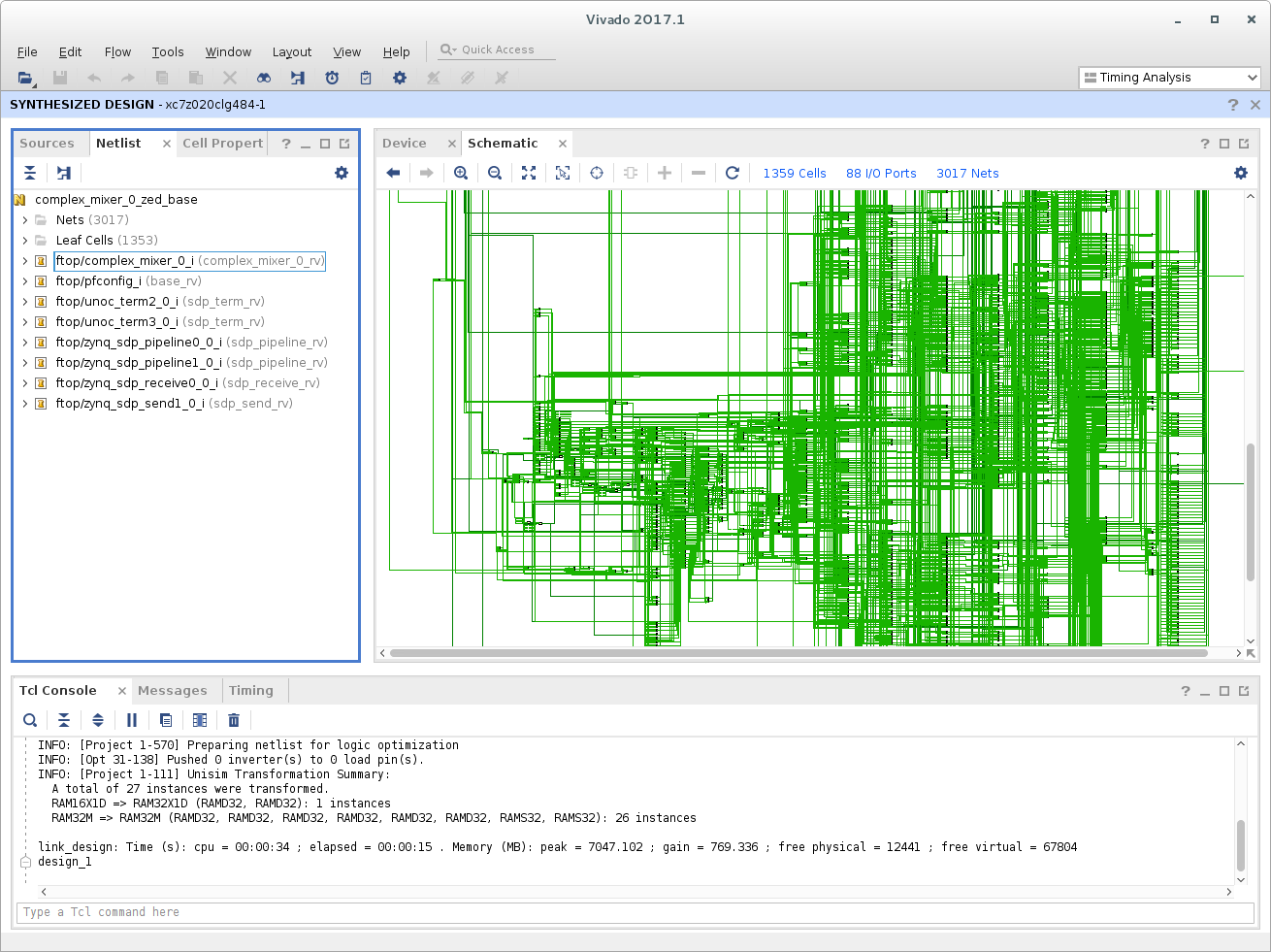
Figure 109: Xilinx Vivado Netlist
Another option for viewing EDIF netlists in Vivado involves creating a Post-Synthesis project and including the netlist as a source file. You can then “Open Synthesized Design” to view the netlist in the GUI.
Project File
To open up a Vivado project at any level, run: vivado target-<tgt>/<asset-name>.xpr
Because the framework runs compilation in Non-Project Mode, the source files and synthesis results will not be opened side-by-side.
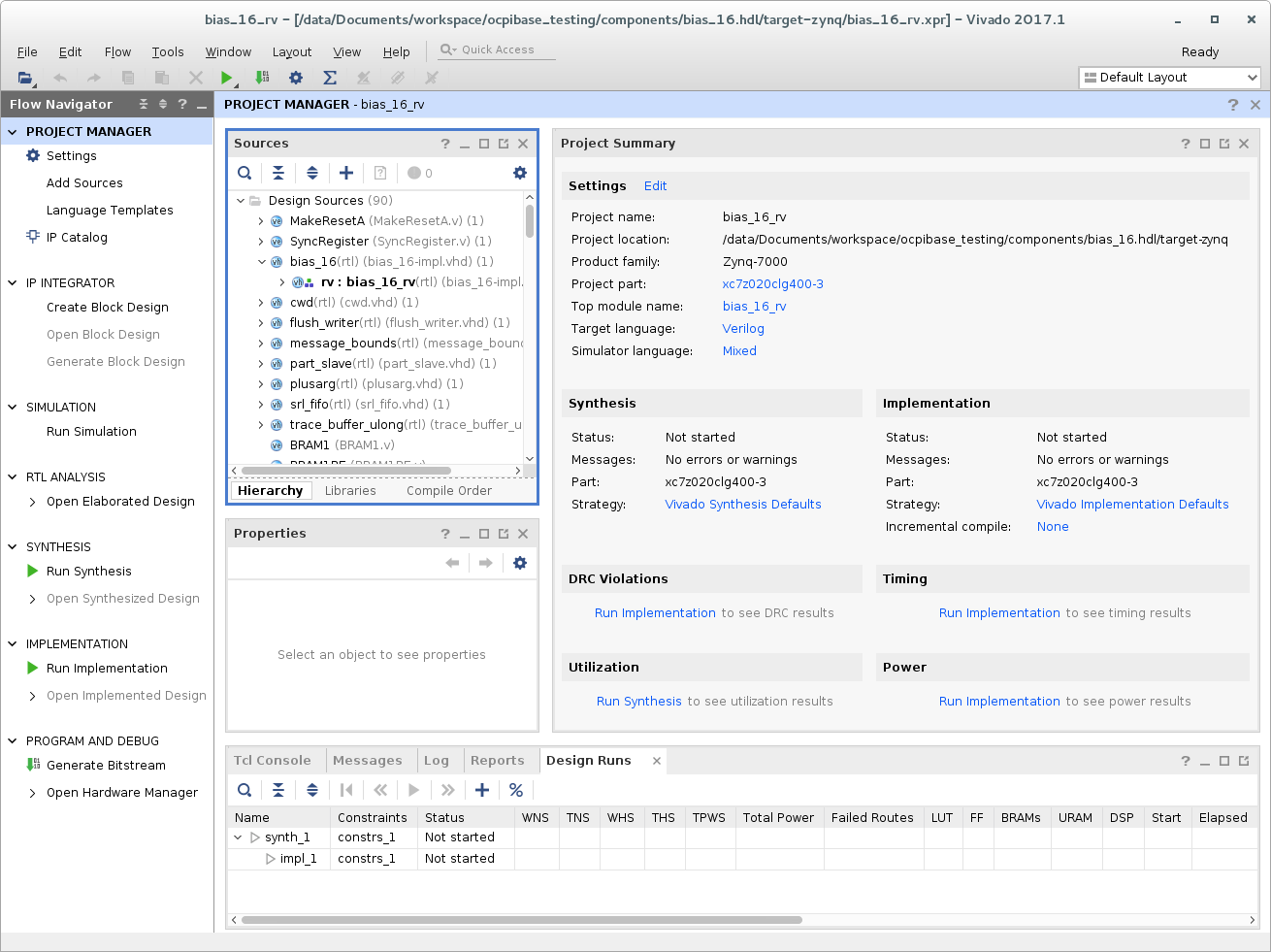
Figure 110: Xilinx Vivado Project
However, after a project file is opened in the GUI, synthesis can be rerun in Project Mode. The synthesized design can then be opened, and the netlist and source can be viewed together.
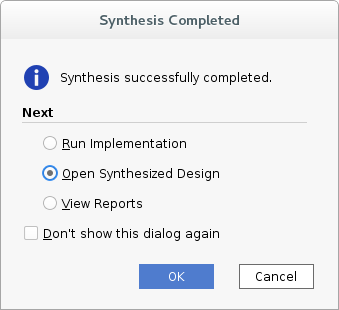
Figure 111: Xilinx Vivado Open Synthesized Design
After this, netlists and sources can be viewed together.
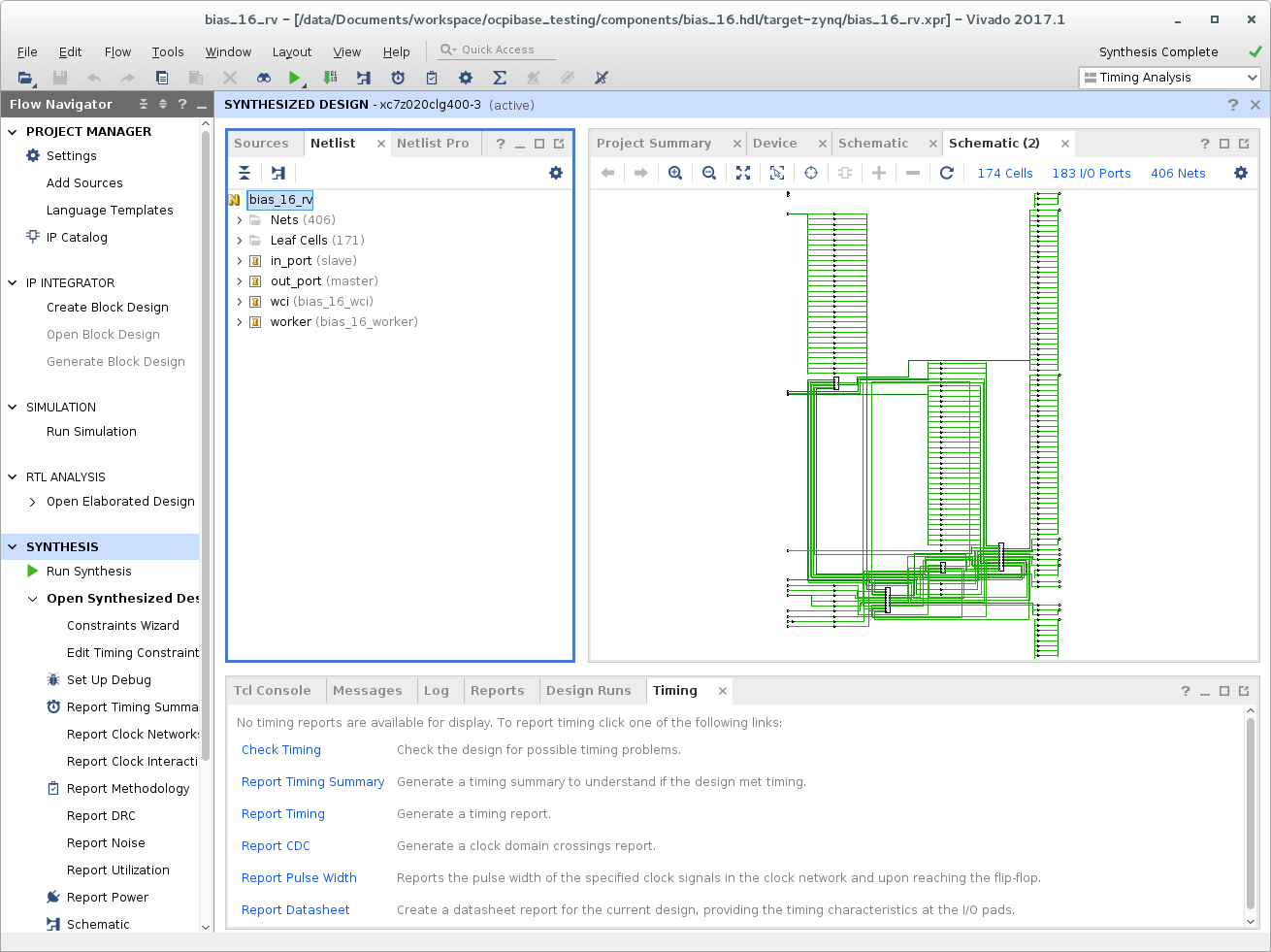
Figure 112: Xilinx Vivado Netlist View
At this point, you can right-click on elements of the netlist and “Go To Source”.
The various stages of implementation also generate project files. These project files can be opened, and implementation can be run in Project-Mode via the Vivado GUI. The other option for viewing implementation results is to open an implementation-stage’s checkpoint as described in Implementation Design Checkpoint.
Implementation Design Checkpoint
To open up a Vivado Design Checkpoint resulting from any post-synthesis implementation stage, run:
vivado <path-to-OCPI-container-dir>/target-<tgt>/<OCPI-container-name>-<stage>.dcp
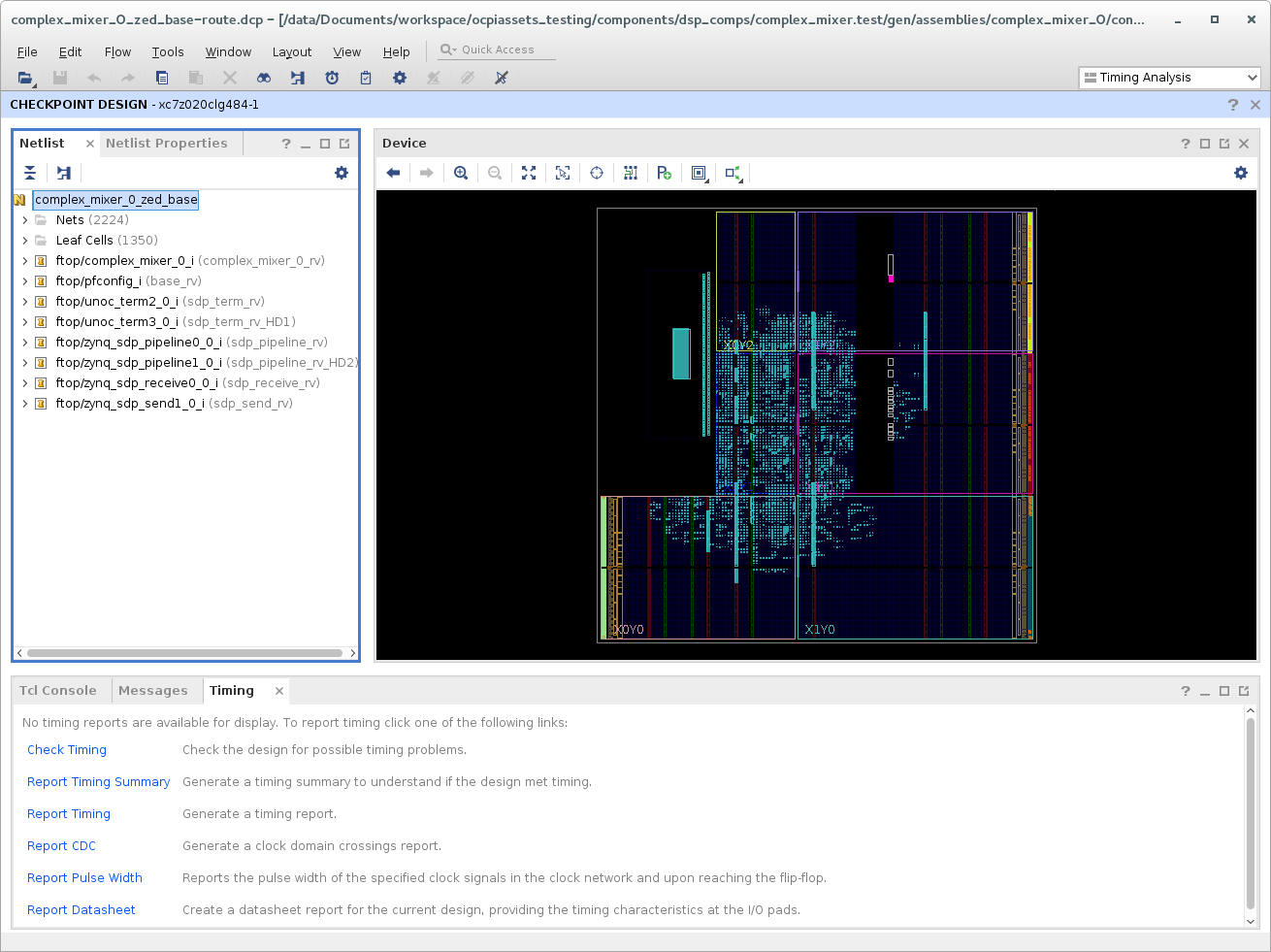
Figure 113: Xilinx Vivado Post-Route Design Checkpoint
Interactive Timing Report
To open up an interactive timing report (result of timing stage of implementation):
Open up the Design Checkpoint for the route stage (shown in Implementation Design Checkpoint).
Open the interactive timing report:
File \(\rightarrow\) Open Interactive Report \(\rightarrow\) <container-name>-timing.rpx
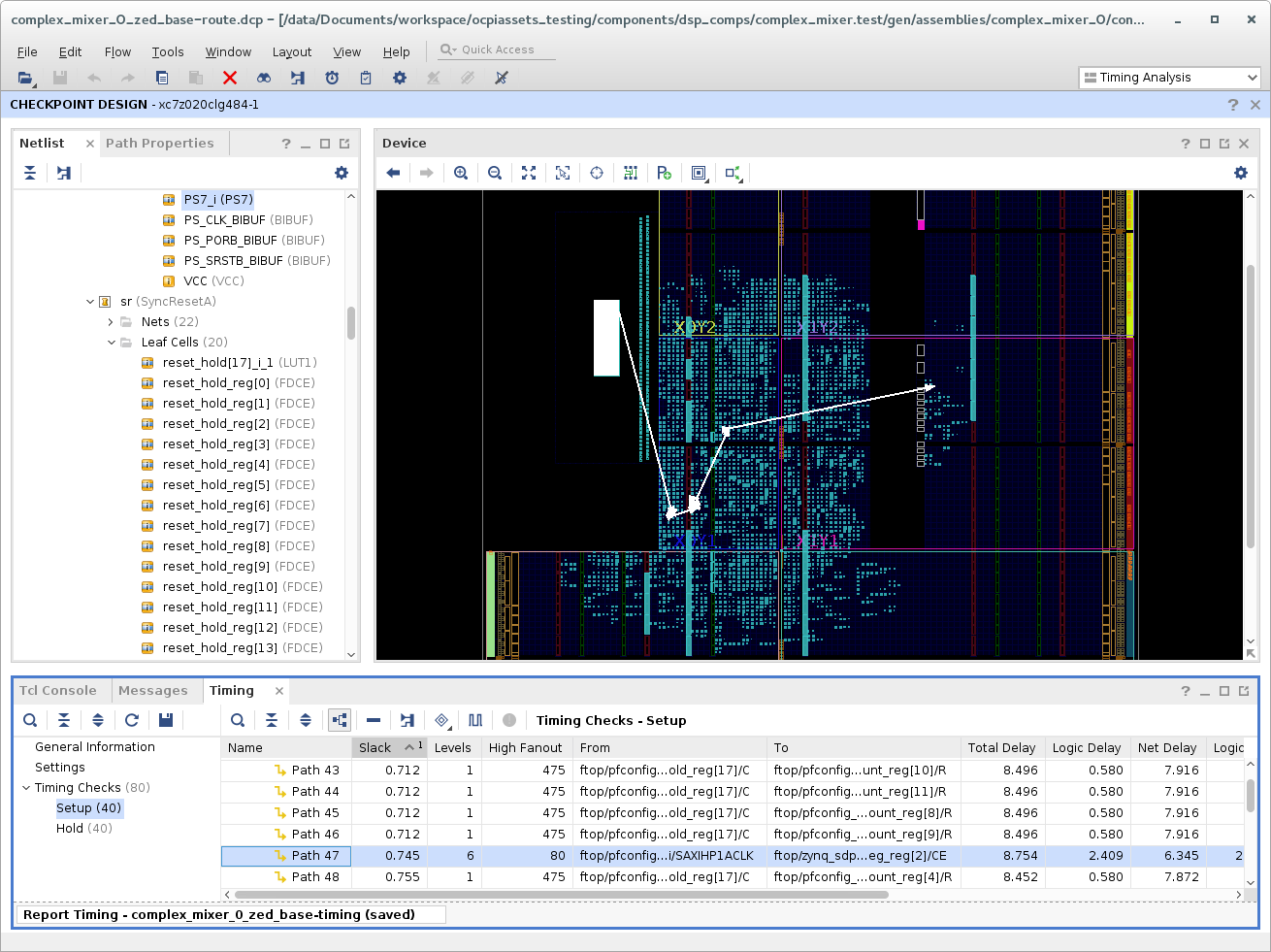
Figure 114: Xilinx Vivado Interactive Timing Report
Elaborated XSIM design
To open up the results of XSIM’s xelab:
xsim <path-to-OCPI-container-dir>/target-<tgt>/<OCPI-container-name>
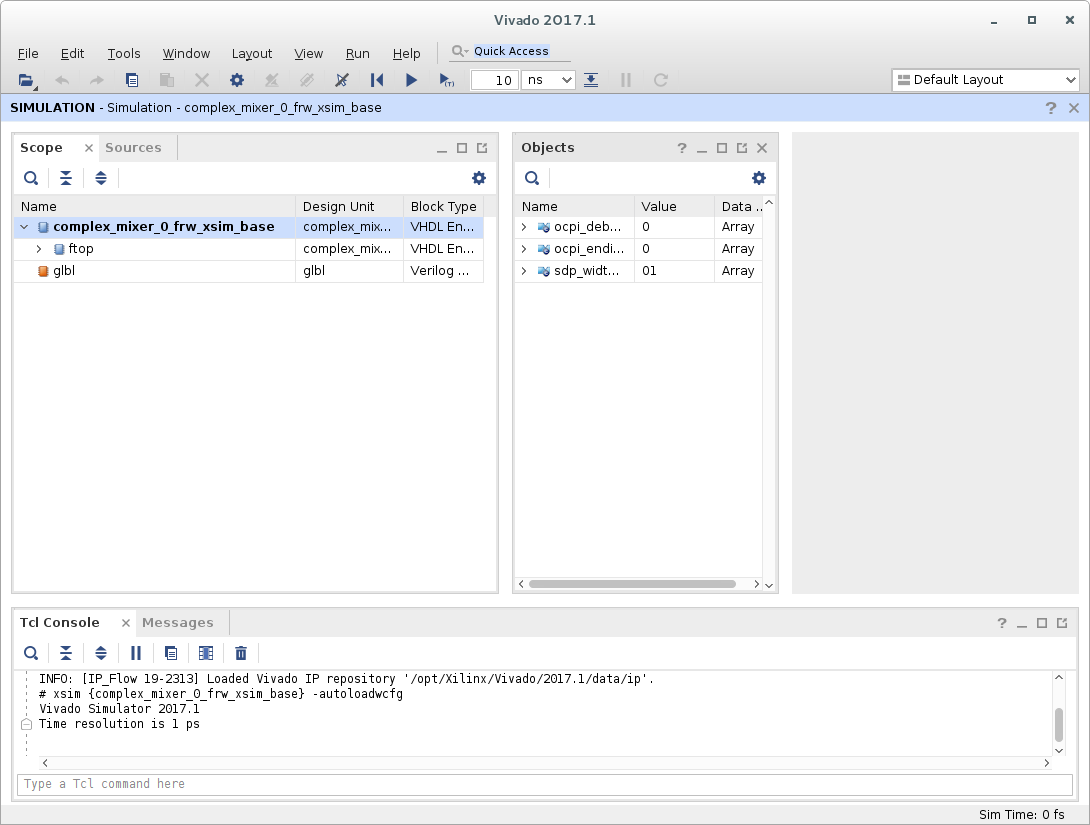
Figure 115: Xilinx Vivado Simulator Elaborated Design
Open XSIM Wave Database
As with any other simulator, you can run:
ocpiview <simulations-directory>
For example, for the complex_mixer.test Unit Test, after running case00.00 with ocpidev’s -keep-simulations option (or Make’s KeepSimulations=1) set, you can run:
ocpiview run/xsim/case00.00.complex_mixer.hdl.simulation
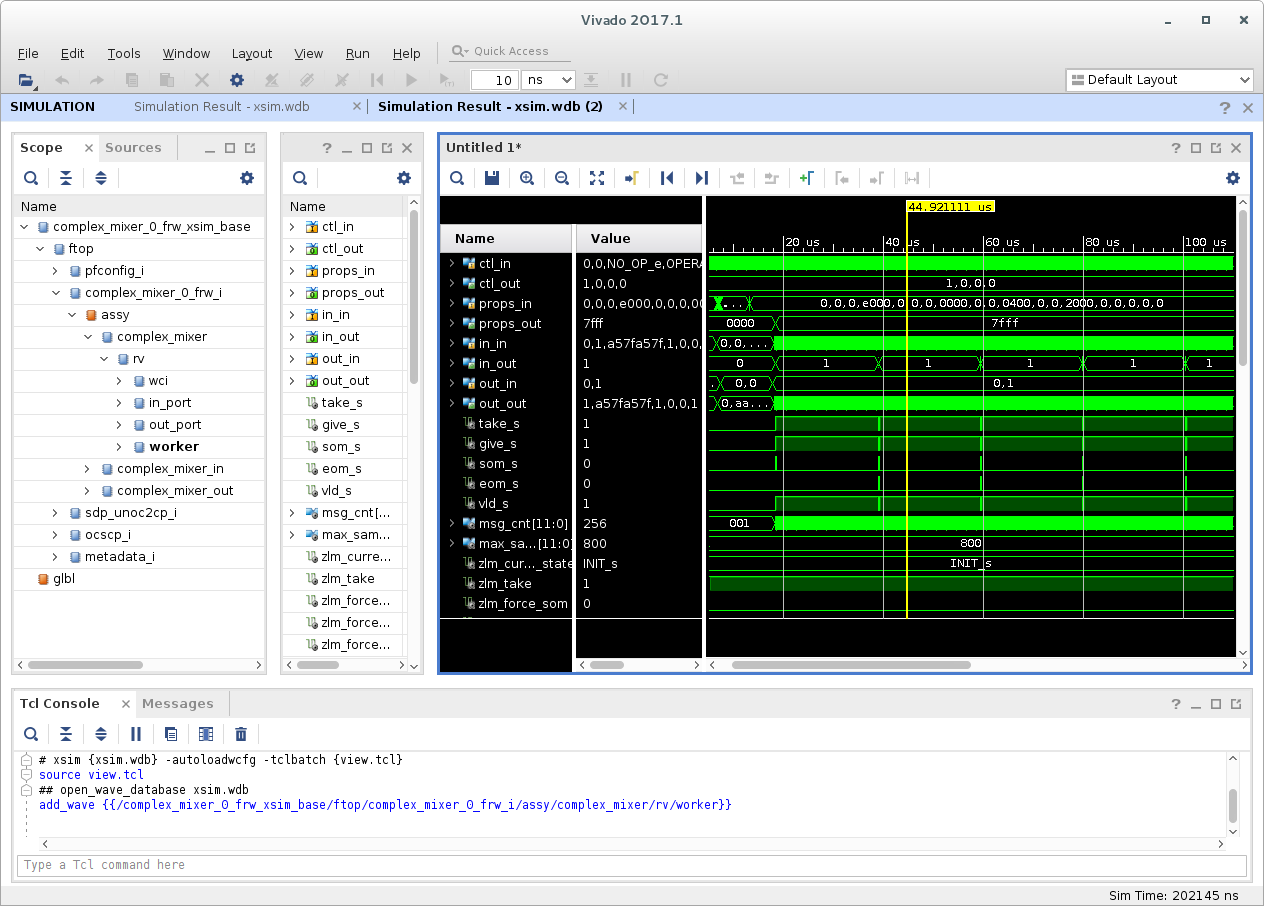
Figure 116: Xilinx Vivado Simulator Wave Database
OpenCPI Output Files for Vivado
.jou: Vivado journal file
.jou.bak: Backup of the previously generated Vivado journal file
<asset-name>-vivado.out: OpenCPI and Vivado output for synthesis of an asset
<impl-stage>.out: OpenCPI and Vivado output for a stage of implementation
.xpr: Every stage of compilation for every OpenCPI asset results in a Vivado project file. This project file can be opened in Vivado to observe the source files associated with that stage.
.edf: Vivado’s netlist format. This is the artifact of building any OpenCPI asset except primitive libraries.
.dcp: After the container is synthesized, implementation begins. From then on, DCP (Vivado’s Design Checkpoint) files are used as the result of each implementation stage.
.rpx: Vivado’s Interactive Timing Report. This file is generated as a result of the timing stage which is run after route.
.libs, .sources, .cores: The OpenCPI files used to store information regarding the libraries, sources, and cores that an asset depends on
*.hw, *.ip_user_files, *.cache directories: Various directories generated by Vivado when creating a project or running synthesis/implementation stages
OpenCPI Output Files for XSIM
.log: XSIM log file for xelab, xvhdl, and xvlog commands
.vdb: Output of XSIM’s source parser
xsim.dir: Files generated by XSIM during setup and elaboration
.pb: Message information for Vivado’s “Messages” window